
Additional fields
Master Data → Additional Fields. Needs a role with custom field permissions.
Every form in Epruvo is built from fields defined here. Define a field once, then add it to as many templates as you like — a Reason field can serve a leave request, an expense claim, and an asset request without being recreated three times.
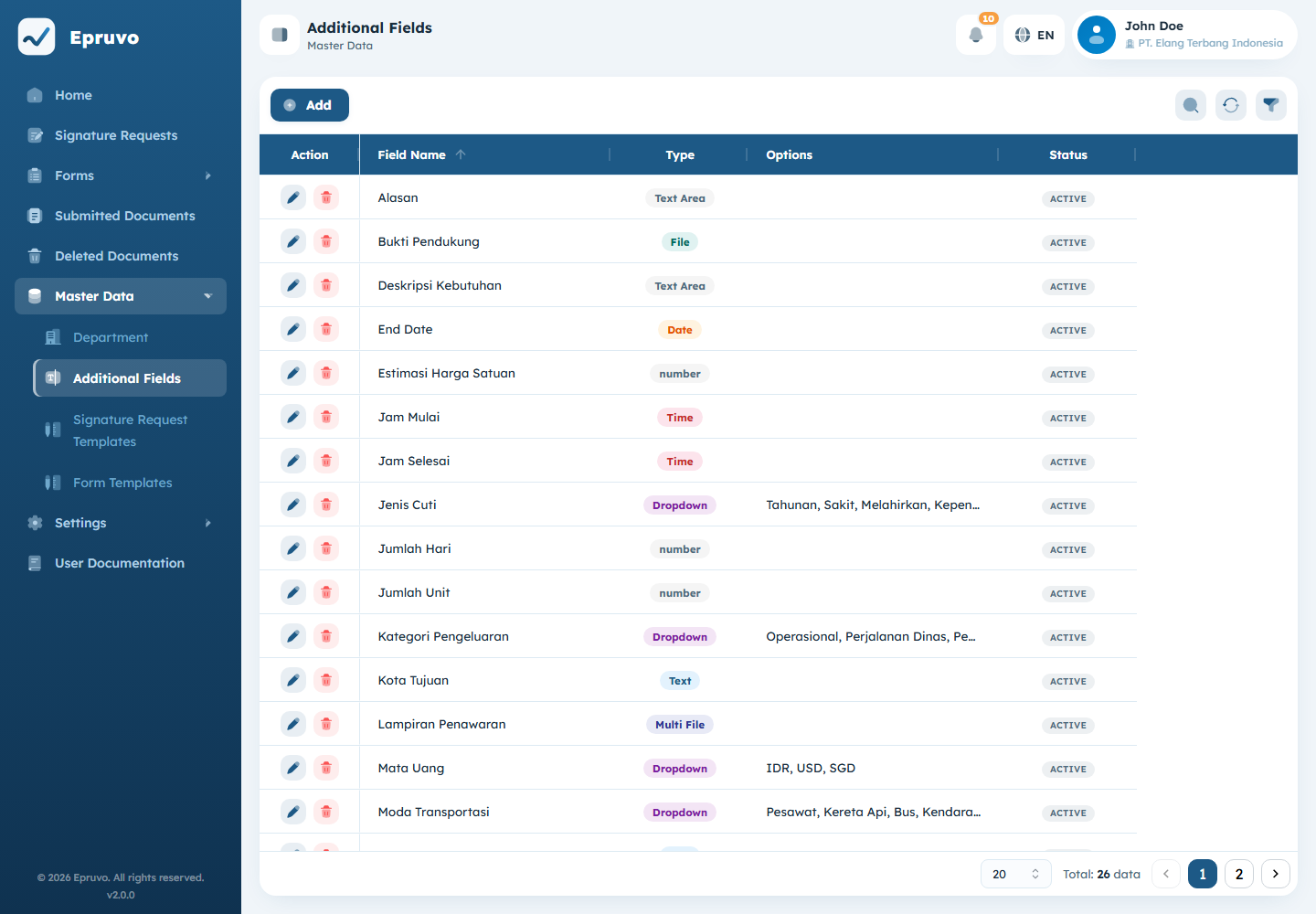
Creating a field
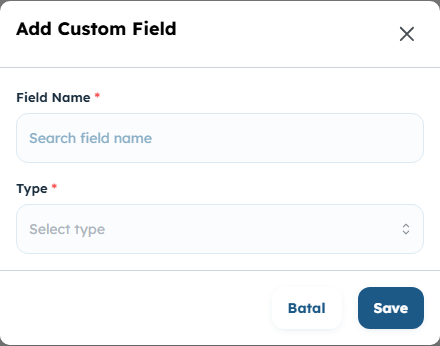
- Select Add.
- Enter a Field Name — what people filling the form will read.
- Choose a Type.
- For a choice type, list the Options, one per line.
- Select Save.
Types
| Type | Collects |
|---|---|
| Text | One line |
| Text Area | Several lines |
| Dropdown | One option from a list |
| Radio | One option, all visible at once |
| Checkbox | Any number of options |
| Multiple Select | Any number of options, from a list |
| Date | A calendar date |
| Time | A time of day |
| File | One attachment |
| Multi File | Several attachments |
Options is required for Dropdown, Radio, Checkbox, and Multiple Select, and ignored for the rest. One option per line — the line breaks are the separator, so an option containing a comma is fine.
Pick the narrowest type that fits. A Dropdown of four departments produces four possible answers; the same question as Text produces four spellings of each, and nobody can filter or count them afterwards.
What is decided here, and what is decided per form
A field definition is shared. How it behaves in a particular form is not.
| Decided here | Decided per template |
|---|---|
| Name | Whether it is Required |
| Type | Whether it appears in the document list — Show in List |
| Options | Allow Weekends, for date fields |
| Decimal Precision, for numeric text | |
| The order fields appear in |
So the same Start Date field can be required on one form and optional on another, and can refuse weekends on one and accept them on another. Those switches live on the template — see Form templates.
Editing and deleting
Renaming a field or adding an option is safe and takes effect everywhere it is used. Documents already submitted keep the answers they were submitted with.
Two changes deserve care:
- Removing an option leaves documents that chose it holding a value the field no longer offers. They stay readable, but the answer can no longer be reselected.
- Changing the type reinterprets answers already stored. Retire the field and make a new one instead.
Delete asks for confirmation. Remove the field from every template that uses it first, otherwise those forms lose a question people were relying on without anyone being told.
Common problems
| The menu is not in the sidebar | Your role has no custom field permission. |
| Saving is refused with "options are required" | The type you chose needs a list. Add one option per line. |
| The field is not on the form | Defining it is not enough. Add it to the template — see Form templates. |
| A date field refuses a Saturday | Allow Weekends is off for that field on that template. |
| The field is not a column in the document list | Show in List is off for it on that template. |