
Deleted documents
Deleted Documents in the sidebar. Needs a role carrying View Log.
Deleting a document in Epruvo does not destroy it. It moves here, with its contents, its attachments, and the name of whoever removed it.
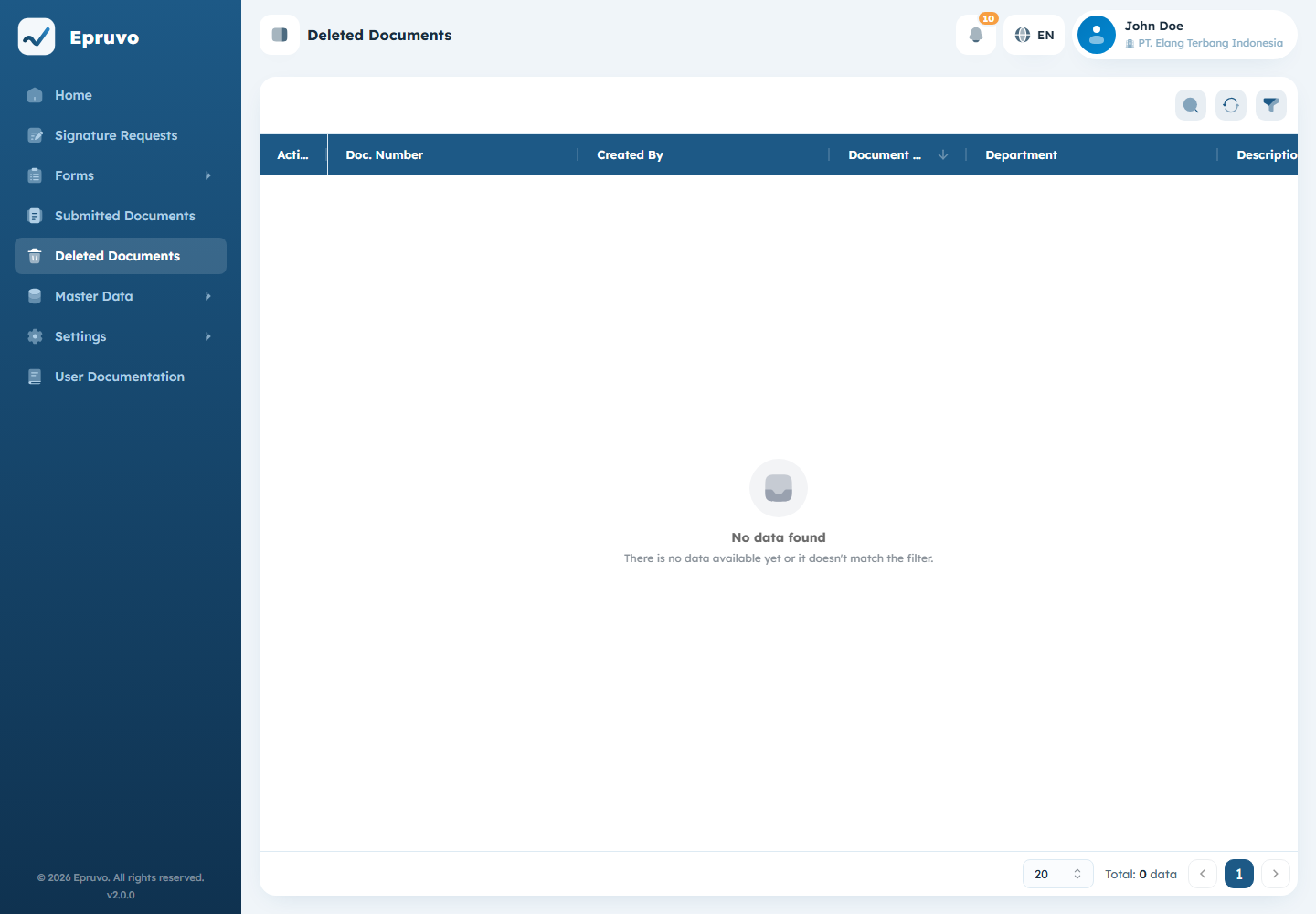
The point is answerability. "Where did that request go?" has an answer, and the answer includes a name.
Columns
Doc. Number, Document Date, Description, Created By, Department, Status, Attachment, and Deleted By.
Status is the status the document held at the moment it was removed. Most entries are Draft, because that is the window in which a submitter can delete their own work. A document deleted at another status is worth a second look — see Submitting a form for who can delete what, and when.
Opening one
View opens the document read-only, with everything it held: its fields, its attachments, and its approval history if it got that far. Nothing can be edited, approved, or restored from here — a deleted document stays deleted.
A deleted document opened read-only, showing its stored fields and history
Attachments are still readable. If a file has to be recovered, this is where it is.
Filtering
Filter narrows by document number, document date, description, creator, department, and status. Reset clears it.
What is not here
Only documents appear in this log. Deleting a user, a department, a role, or a form template is not recorded here — those are configuration changes rather than documents.
Common problems
| The menu is not in the sidebar | Your role does not carry View Log. |
| A document is in neither this list nor the normal one | Check the spelling of the number, and check you are in the right company. |
| You want it back | There is no restore. Recover what you need from the read-only view and submit again. |
| An attachment will not open | The record survives independently of the file. If the file is gone, report it. |
| A user was deleted and you want a record | Not here. This log covers documents only. |