
Your workspace
After signing in you land on Home. The sidebar is on the left, a bar across the top carries the page title, and your name sits at the bottom of the sidebar.
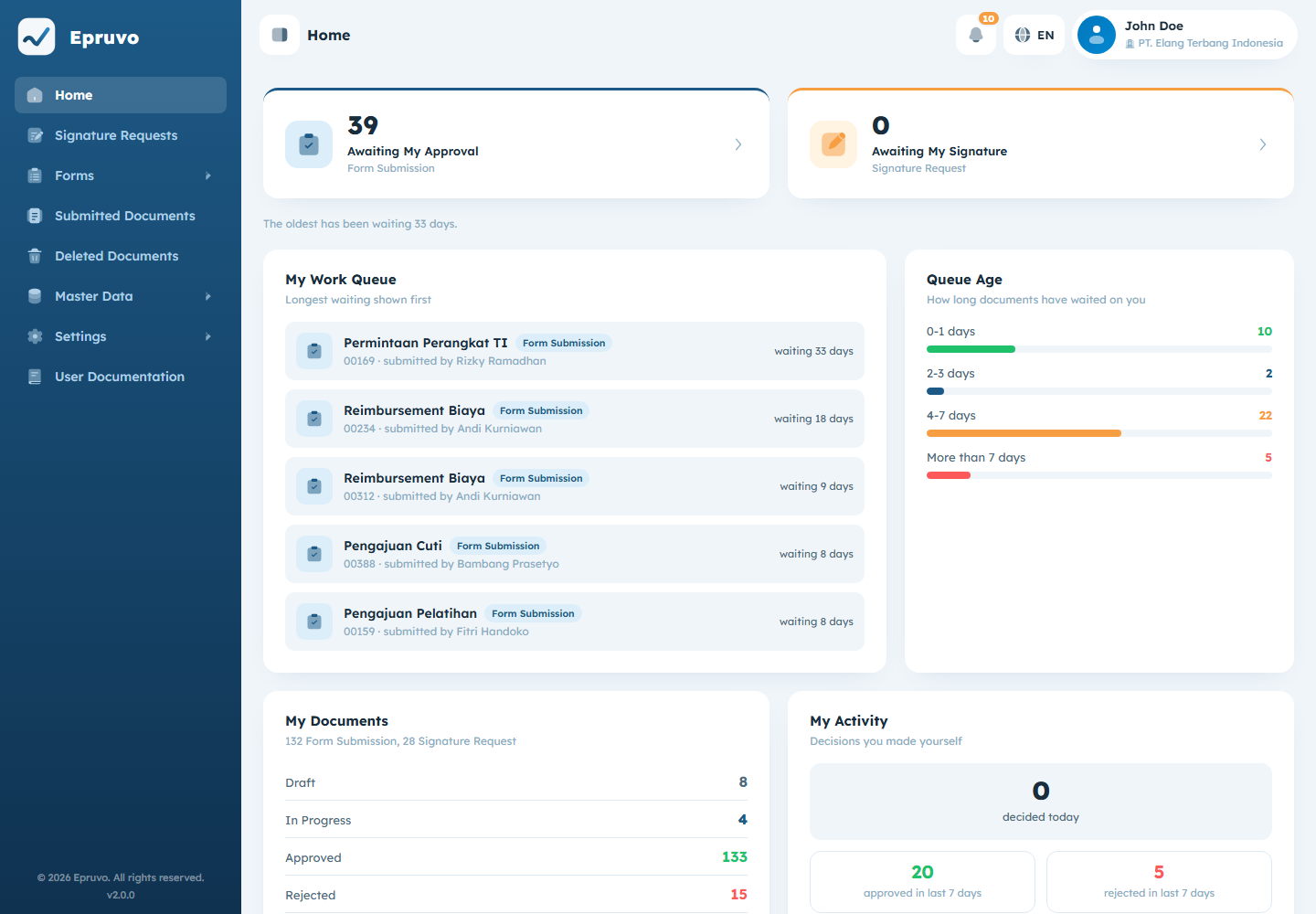
The sidebar
| Menu | Takes you to |
|---|---|
| Home | This page |
| Signature Requests | PDFs sent out for signature — Signature requests |
| Forms | Expands into one entry per active form — Submitting a form |
| Submitted Documents | Everything submitted, across both kinds — Submitted documents |
| Deleted Documents | What was removed and by whom — Deleted documents |
| Master Data | Departments, additional fields, and templates |
| Settings | Users, roles, delegation, and company settings |
| User Documentation | This guide |
Forms is worth a second look: it does not open a page of its own. It expands, and each active form template your company has published appears underneath it as its own entry. Selecting one opens that form's document list. If a new form appears there one morning, someone published it — see Form templates.
Your sidebar may be shorter than a colleague's. Menus appear only when your role carries a permission that covers them, so a missing menu means "not yours" rather than "broken". Roles and permissions explains which permission unlocks which menu.
Use the control at the bottom of the sidebar to collapse it to icons when you need the width, and to expand it again.
The top bar
The page title and its path sit on the left. On the right:
- the Notifications bell, with a count when something is unread
- the language switch, ID or EN
The language switch changes Epruvo's own labels immediately and remembers your choice on this browser. It does not translate content people typed — a form named by your administrator, a colleague's notes, a company name, and the status codes on documents all stay as they were entered.
Your name at the bottom
Selecting it opens the user menu:
| Profile | Your details and your password — Your profile and notifications |
| Change Password | Currently leads to a "Page Not Found" screen. Use Profile instead. |
| Language | The same switch as in the top bar |
| Switch Tenant | Move to another company — Accounts and signing in |
| Log Out | End the session |
Home
Home is in two halves. The top half is yours and everybody has it. The bottom half is company-wide and appears only if your role carries the dashboard permission.
What is waiting on you
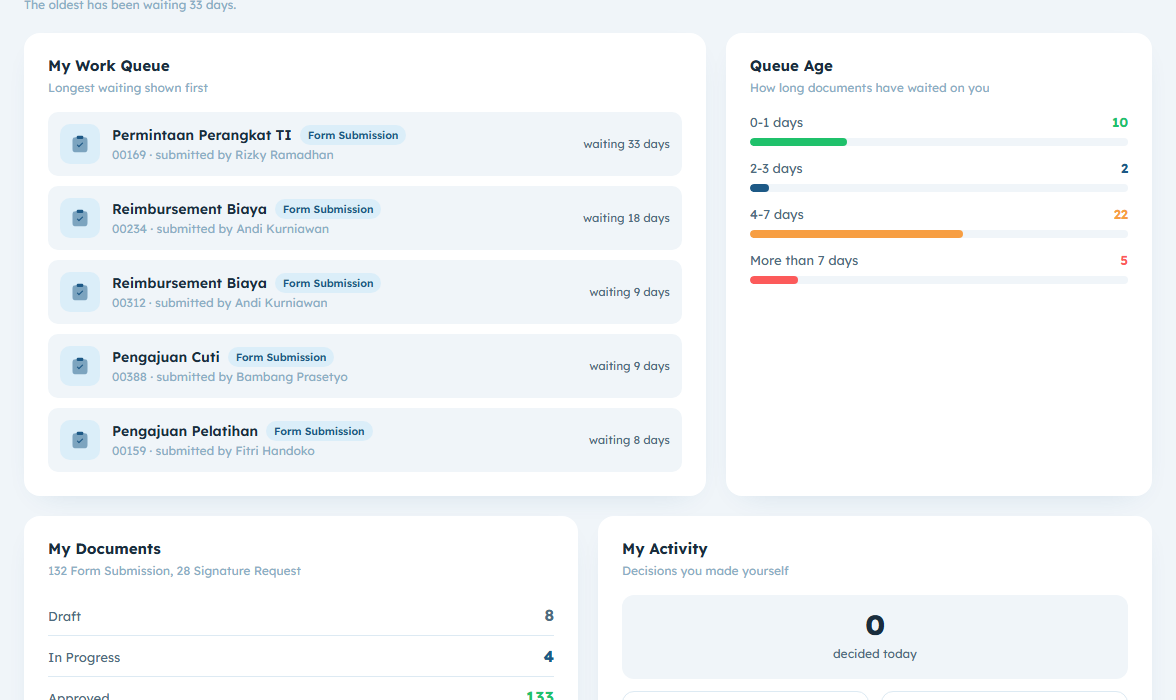
Two cards lead the page:
- Awaiting My Approval — form documents sitting at a step you are part of
- Awaiting My Signature — signature requests waiting for your signature
Each shows a count, and how long the oldest one has been waiting. Selecting a card takes you to the matching list already filtered down to your own outstanding work, so the number you saw and the list you land on agree.
Below them:
- My Work Queue — the individual items, longest wait first, each showing who submitted it and how many days it has been sitting there
- Queue Age — the same queue in buckets:
0-1 days,2-3 days,4-7 days,More than 7 days - My Documents — what you submitted, broken down by status
- My Activity — decisions you made yourself, today and over the last seven days
If My Work Queue says nothing is waiting on you, nothing is. It is not a loading state.
Organisation Statistics
Everything below the divider covers the whole company rather than you. It is only there if your role carries dashboardView; without it the page simply ends after your own work, which is not an error.
Two filters sit at the top and apply to this half only:
- Period —
Last 30 days,Last 90 days, orLast 12 months - Department — one department, or Without department for records that have none. A department includes its children.
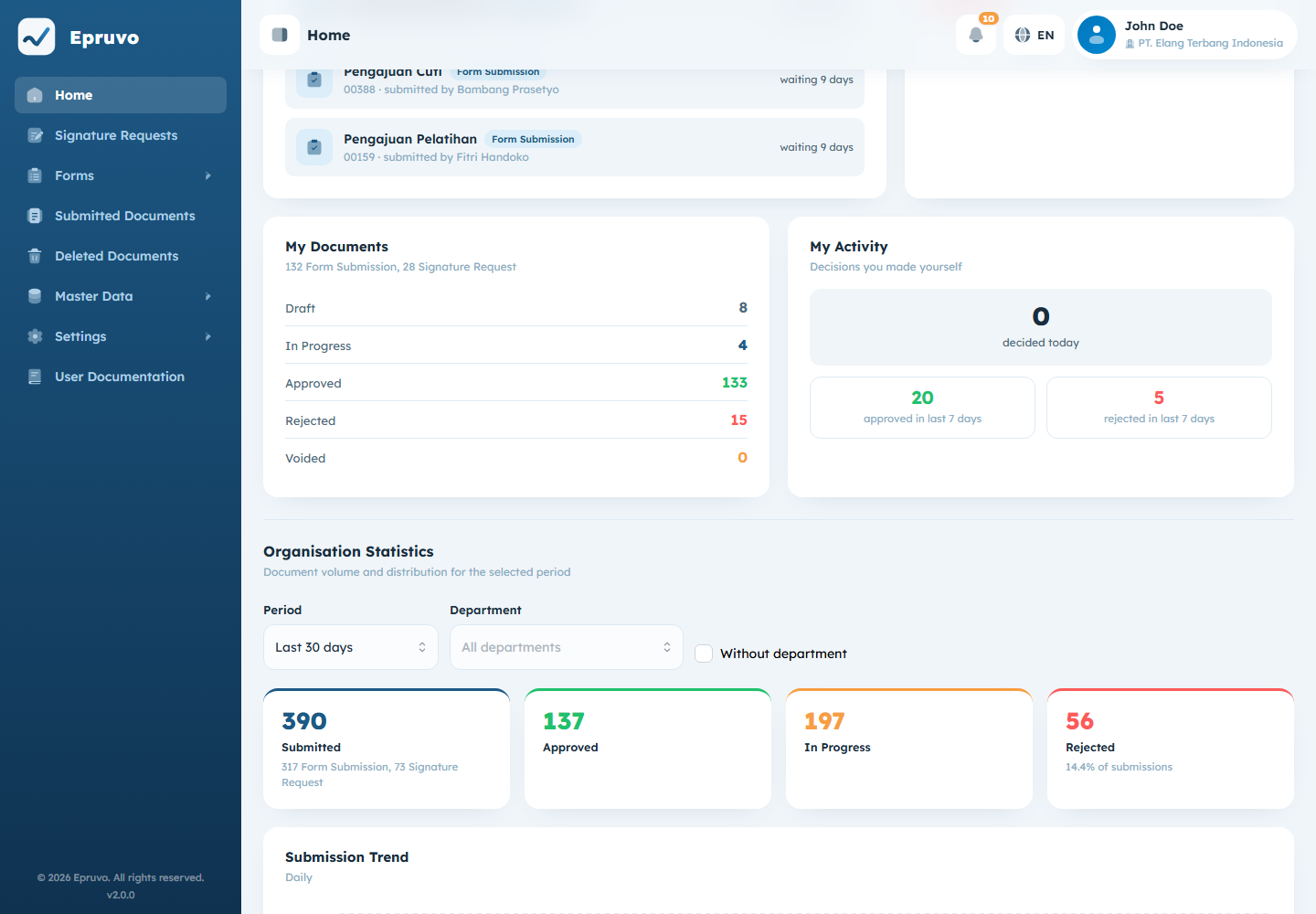
| Panel | Shows |
|---|---|
| Totals | Submitted, Approved, In Progress, Rejected for the period, split between the two kinds of request |
| Submission Trend | Submitted against completed over time, by day, week, or month depending on the period |
| By Department | Volume per department, children included |
| Top Forms | Busiest form templates. Form submissions only — signature requests are not counted here. |
| Queue by Approver | Who currently has the most waiting on them. This one ignores the period filter; it describes right now. |
| Completion Time | Average and median from submission to completion, with the number of documents it was calculated from |
Completion Time is a description of what happened, not a target anybody is being measured against.
Common problems
| A menu a colleague has is missing for you | Your role does not carry a permission that covers it. Ask an administrator. |
| Forms expands but is empty | No form template is active yet, or none is allowed for your role. See Form templates. |
| The card count and the list disagree | Reload the page. The cards read live figures; a list left open in another tab can be older. |
| Change Password shows "Page Not Found" | Known. Use Profile. |